skip to main content
 Enhancing Productivity: Do Coworking Spaces Have Monitors?
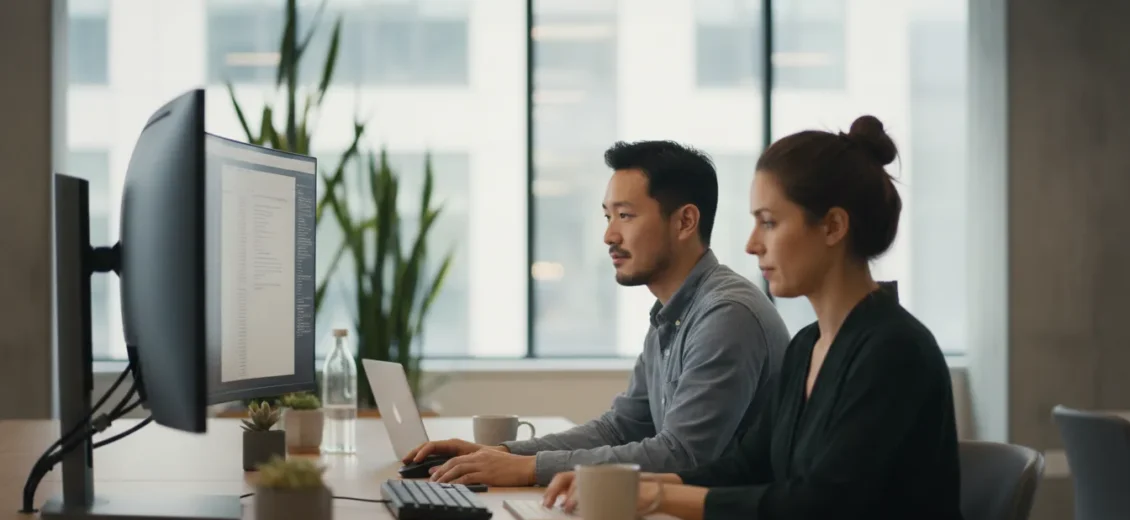
Table of Contents
- Introduction
- The Reality of Tech Amenities in Flexible Workspaces
- Navigating Equipment Needs by Membership Type
- Leveraging Meeting Rooms for Large-Scale Visuals
- The Workbox Difference: Workspace with a Purpose
- Designing a Productive Routine Without Provided Monitors
- Operational Value and Reduced Overhead
- Logistics: Access and Membership Details
- The “Success Takes More” Philosophy
- FAQ
Introduction
Have you ever found yourself squinting at a thirteen-inch laptop screen, toggling frantically between fourteen open tabs while trying to reference a spreadsheet and a video call simultaneously? It is a common frustration for the modern professional. The physical limitations of a laptop can often feel like a bottleneck for productivity, leading many to wonder if making the jump to a professional workspace will solve their hardware hurdles. Specifically, one of the most frequent questions we hear from founders and remote teams exploring new office options is: do coworking spaces have monitors?
The answer to this question involves more than just a simple yes or no; it requires an understanding of how flexible workspaces are designed to support various types of work. While some individuals expect a “plug-and-play” station complete with dual screens, the reality of the flex office industry is often more nuanced. This article will explore the standard equipment you can expect in a professional workspace, why many providers—including us at Workbox—prioritize different types of operational support, and how you can strategically build a high-performance setup within a flexible environment.
We will delve into the logistical differences between floating memberships and private offices, the practicalities of bringing your own tech, and how our “Member Success” philosophy ensures that your workspace is more than just a desk, but a platform for growth. By the end of this guide, you will have a clear understanding of how to optimize your physical work environment and why the most valuable “amenities” are often the ones that help you connect, collaborate, and scale your business.
The Reality of Tech Amenities in Flexible Workspaces
In the early days of shared offices, there was a brief trend where spaces tried to provide everything from keyboards to monitors at every desk. However, as technology evolved, this model became increasingly difficult to maintain. Today, most premium flexible workspace providers focus on providing a robust “operational backbone”—reliable internet, professional cleaning, and well-designed furniture—rather than specific peripheral hardware like monitors.
There are several practical reasons why monitors are rarely provided as a standard amenity at every “hot desk” or floating membership level:
Portability and Compatibility
The sheer variety of laptop ports (USB-C, HDMI, DisplayPort, Mini-DisplayPort) means that providing the right cables and adapters for every possible member becomes a significant logistical hurdle. Furthermore, as laptops become more powerful and varied, the specific resolution and color accuracy needs of a graphic designer differ wildly from the needs of a financial analyst. By not tethering members to a specific piece of hardware, we allow for a more flexible and personalized approach to work.
Personal Preference and Hygiene
Professionals often have very specific preferences regarding screen size, curvature, and blue-light filters. Additionally, in a shared environment where desks are used by different people throughout the week, peripheral equipment like monitors, keyboards, and mice require constant sanitization and maintenance. Most professionals prefer to use their own equipment to ensure it meets their exact specifications and cleanliness standards.
Focus on Reliability
At Workbox, we believe in providing a seamless operational environment. This means focusing our resources on the high-impact essentials: fast, secure Wi-Fi and Ethernet, unlimited printing, and a dedicated community manager to ensure the day-to-day operations of your office run without a hitch. By mastering these core components, we reduce the administrative burden on our members, allowing them to focus on their primary business goals rather than troubleshooting a faulty monitor connection.
Navigating Equipment Needs by Membership Type
When considering whether a workspace will meet your technological needs, it is helpful to look at the different membership tiers and how they facilitate different styles of work. The question of “do coworking spaces have monitors” is often solved not by the space providing the monitor, but by the membership providing the capacity for you to have one.
Floating Memberships and Day Passes
For those utilizing a Day Pass or a Floating Membership, portability is the name of the game. These members typically work from different spots within the common areas or lounge spaces. In these scenarios, bringing a full-sized desktop monitor is usually impractical.
However, we often see members in these tiers utilize portable USB-C monitors. These slim, lightweight screens fit into a laptop bag and provide that much-needed second display without requiring a permanent desk setup. For a consultant who spends their morning in a professional meeting room with a client and their afternoon in a lounge area, a portable monitor offers the perfect balance of mobility and screen real estate.
Dedicated Desks and Private Offices
This is where the equipment conversation changes. For members who require a permanent multi-monitor setup, a Dedicated Desk or a Private Office is the ideal solution.
While we provide furnished desks and chairs in our offices and suites, we do not provide the monitors themselves. Instead, we provide the home base where you can build your ideal workstation. Because these spaces are yours, you can bring in your preferred monitors, docking stations, and specialized hardware.
Consider a small team transitioning out of a home-office environment. By moving into a private Workbox suite, they gain a consistent, secure space where they can leave their dual-monitor setups overnight. This eliminates the daily setup and teardown time, allowing them to start their workday the moment they sit down. Furthermore, for members in private offices and suites, we include company logo placement on the office door at no additional cost, helping to establish a professional presence for clients and visitors.
Leveraging Meeting Rooms for Large-Scale Visuals
While individual desks might not come with monitors, there is one area in a coworking space where high-quality screens are a standard: the meeting rooms.
If you are a founder preparing for a high-stakes pitch or a team lead running a sprint planning session, you need more than a 15-inch screen. Our private conference rooms are designed to facilitate these moments. Most of our meeting rooms are equipped with large-screen displays that allow you to mirror your laptop screen for presentations, video conferences, or collaborative data reviews.
For a professional who usually works from a floating membership but needs to dive deep into a complex project with a partner, booking a meeting room for a few hours provides access to a much larger visual canvas. This is a practical way to “access” a monitor when your primary task requires a more expansive view or a collaborative environment.
The Workbox Difference: Workspace with a Purpose
At Workbox, we recognize that success takes more than just a desk and an internet connection. While the question of hardware is practical, the larger question for any professional should be: “Does this space help me succeed?”
Our approach is centered on “Member Success.” We view the physical office as one layer of a much larger support system. This system is built on three primary pillars that differentiate our offering from generic office providers.
1. Member Connection
We believe that high-quality member-to-member interactions are the lifeblood of a thriving business. Our spaces are intentionally designed to facilitate network building. We don’t just provide a place to sit; we provide a platform for professionals to connect, collaborate, and grow.
This happens through:
- Weekly Community-Based Engagements: Regular touchpoints that help members get to know the people working down the hall.
- Quarterly Mixers: Larger events designed to foster deeper connections across the entire community.
- Purposeful Programming: Access to partnership events across the country that support professional connection and business development opportunities.
For a leader or innovator, these connections can lead to more growth than an extra monitor ever could. Whether it’s an introduction to a potential partner or a casual conversation in the kitchen that sparks a new idea, the “Member Connection” layer is designed to move your business forward.
2. Operational Support
We aim to provide a seamless operational backbone. Running an office involves a mountain of small, administrative tasks that can distract you from your core mission. When you choose a flexible workspace, you are essentially outsourcing these burdens.
In a traditional office, you would be responsible for coordinating internet setup, janitorial services, utility payments, and stocking supplies. At Workbox, these are all bundled into your membership. This reduces your day-to-day administrative load and simplifies your operations from day one. You also benefit from a lower upfront commitment compared to a conventional office model, which often requires years-long leases and heavy initial capital expenditure for furniture and infrastructure.
Our members enjoy:
- Professional Cleaning Services: Ensuring a clean and welcoming environment every day.
- Mailing and Packaging Services: Available for members with a Floating Membership or higher (details vary by location).
- Dedicated Community Managers: On-site support to help navigate the space and its resources.
- Standard Office Essentials: Unlimited printing, filtered water, and complimentary coffee and tea.
3. Business Development
This is the “enabling layer” that truly sets us apart. We don’t just give you a space to work; we give you the resources to scale. Our members gain access to a powerful network of other innovators and leaders, as well as specific business-development resources.
This includes:
- Virtual Platform Access: A digital hub for connecting with the broader Workbox community.
- Vendor Discounts and Cloud Credits: Practical savings on the software and services your business needs to operate.
- Programming with Capital Partners: For those in the growth stage, we provide opportunities to engage with business leaders and founders through curated events.
Designing a Productive Routine Without Provided Monitors
If you are a professional who relies on multiple screens, how do you make the transition to a coworking environment? It is helpful to view your workspace as a flexible tool that you can customize.
The Hybrid Setup
Many of our members have found success with a hybrid hardware setup. They use a high-quality laptop as their primary machine and supplement it with a portable monitor for deep-work sessions in the lounge. When they have a day that requires intense multitasking, they might book a private office or a meeting room to utilize the additional space and privacy.
The Permanent Headquarters
Nearly two-thirds of our member companies choose Workbox as their corporate headquarters. For these teams, the transition involves moving their existing tech stack into a private suite. They bring their monitors, their preferred docking stations, and their specific peripheral gear. They get the benefits of a customized tech setup alongside the amenities of a managed office—like the wellness room for a midday break or the phone booths for private calls.
Managing Privacy and Focus
While we do not offer “quiet zones” or “silent areas,” we provide several options for those who need a quieter environment in a private space. Phone booths are available for quick calls, while meeting rooms can be booked for longer periods of focus. For many, the ability to move between the vibrant energy of the common areas and the privacy of an office is the ultimate productivity hack.
Operational Value and Reduced Overhead
When evaluating whether a workspace meets your needs, it is important to look at the total value of the environment. The absence of a $200 monitor is often offset by the thousands of dollars saved in operational overhead and time.
Traditional office models come with a long list of hidden costs and time-sinks. Coordinating with multiple vendors for internet, cleaning, and maintenance takes hours away from your actual work. Furthermore, the commitment required for a traditional lease is often a significant risk for a growing company.
At Workbox, we offer a more agile approach. Our memberships provide a bundled workplace environment that lowers your upfront commitment. For example, while a traditional office might require a 7-to-10-year minimum lease, the flex model allows for much shorter commitments, giving you the ability to scale up or down as your team changes. This flexibility is a critical component of Member Success, especially for startups and innovators who need to stay nimble.
Logistics: Access and Membership Details
To make the most of your workspace, it is important to understand the logistical “rules of the road.” These ensure that the community functions smoothly for everyone.
Access Hours
- Day Passes and Non-Member Bookings: Our spaces are staffed and accessible for day pass users and non-member meeting room bookings from 8:30 AM to 5:00 PM, Monday through Friday.
- Memberships (Floating, Desk, Office, Suite): Members enjoy 24/7 access to their home-base location. This is perfect for those who hit their stride late at night or need to coordinate with teams in different time zones. Additionally, members can access any other Workbox location nationwide during staffed hours (8:30 AM to 5:00 PM).
Mail and Address
For businesses looking to establish a professional footprint, having a business address is essential. Mailing and packaging services are available to our members (minimum Floating Membership or higher). This allows you to have a professional address for your business and someone on-site to receive packages, though the specific details and capacity may vary by location and membership level.
Standard Amenities
Regardless of your membership level, you can expect a baseline of high-quality amenities designed to make your workday easier:
- Fast, secure Wi-Fi and Ethernet
- Complimentary coffee, tea, and filtered water
- Draft and bottled beer (at select locations where applicable)
- Access to bike storage (at select locations)
- A dedicated Community Manager to assist with your needs
The “Success Takes More” Philosophy
Ultimately, whether or not a coworking space has monitors is a small part of a much larger equation. Professional success is rarely determined by the hardware on your desk; it is determined by the people you know, the support you have, and the environment in which you operate.
At Workbox, we are committed to providing that environment. We are a destination for leaders, innovators, and investors who understand that where you work matters just as much as how you work. By providing a “Workspace with a Purpose,” we help you bridge the gap between having a place to sit and having a place to grow.
Whether you are a solo founder looking for your first desk or an established team seeking a new corporate headquarters, we invite you to experience a workspace that prioritizes your success. Our community is built on the idea that when we provide the right operational backbone and the right connections, our members can achieve incredible things.
If you are ready to move beyond the limitations of the home office or the distractions of the coffee shop, it is time to find a workspace that works as hard as you do. Focus on your growth, and let us handle the rest.
Ready to find your next home base? Explore our locations and see how Workbox can support your journey toward success. From private suites to vibrant community spaces, we have the right environment for your team to flourish. Reach out today to schedule a tour and join a community designed for the modern innovator.
FAQ
Do coworking spaces have monitors at every desk?
Typically, coworking spaces do not provide monitors as a standard amenity for floating memberships or day passes. This is due to the wide variety of connection ports and personal preferences professionals have. However, members in private offices often bring their own monitor setups to create a personalized, permanent workstation.
Can I bring my own monitor to a coworking space?
Yes, you can bring your own monitor, especially if you have a Dedicated Desk or a Private Office membership. These membership types provide a consistent space where you can set up your preferred hardware and leave it securely overnight. For floating members, we recommend portable USB-C monitors that fit easily into a laptop bag.
Are there screens available for presentations in coworking spaces?
Yes. At Workbox, our private conference rooms are equipped with large-screen displays or monitors specifically for presentations and video conferencing. These are available to be booked by both members and non-members during staffed hours, providing a larger visual canvas for collaborative work or client meetings.
What equipment is included in a Workbox private office?
Workbox private offices and suites come fully furnished with desks and chairs. While we do not provide monitors, we do include high-speed Wi-Fi and Ethernet, unlimited printing, and company logo placement on your office door at no extra cost. This allows you to bring in your own specific technology while we provide the furniture and operational infrastructure.